Fix Container Orchestration Issues in 2026: Manual vs. OpsSqad
Learn to manually debug container orchestration platforms, then automate diagnostics with OpsSqad's K8s Squad. Save hours on troubleshooting in 2026.

Founder of OpsSqaad.ai. Your AI on-call engineer — it connects to your servers, learns how they run, and helps your team resolve issues faster every time.
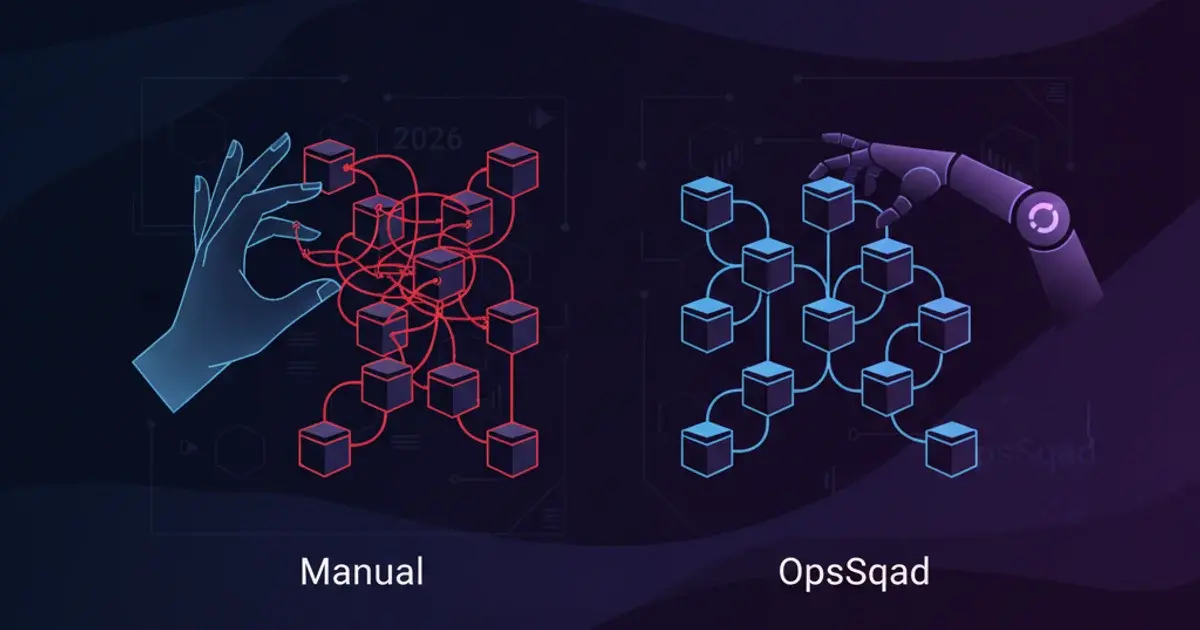
Mastering Container Orchestration Platforms in 2026: From Basics to Advanced Automation
Container orchestration platforms have become the backbone of modern cloud infrastructure, with the global container orchestration market reaching $1.2 billion in 2026 and expected to grow at 28% annually. As organizations deploy thousands of containers across distributed environments, manual management has become impossible. This comprehensive guide walks you through everything from fundamental orchestration concepts to advanced automation strategies that DevOps teams use daily.
Key Takeaways
- Container orchestration platforms automate the deployment, scaling, networking, and lifecycle management of containerized applications across clusters of machines.
- Kubernetes dominates the orchestration landscape in 2026, powering over 88% of production container deployments according to CNCF surveys.
- Orchestrators maintain desired state through declarative configuration, continuously reconciling actual infrastructure state with your defined specifications.
- Self-healing capabilities automatically restart failed containers and reschedule workloads from unhealthy nodes, achieving 99.99% uptime for properly configured applications.
- Managed Kubernetes services from AWS, Azure, and Google Cloud reduce operational overhead by 60-70% compared to self-hosted clusters, though at higher per-node costs.
- Integration with CI/CD pipelines enables fully automated deployments, with leading organizations pushing code to production dozens of times per day.
- Security best practices including network policies, RBAC, and secret management are essential as the average Kubernetes cluster handles 847 pods in 2026.
1. The Challenge: Managing Containers at Scale
Containers solved the "works on my machine" problem by packaging applications with their dependencies into portable, lightweight units. Docker adoption surged past 85% of enterprises by 2026, with the average organization running 3,200 containers in production. However, this success created a new challenge: how do you manage thousands of ephemeral containers across dozens or hundreds of servers without losing your sanity?
1.1. The Complexity of Manual Container Deployment
Problem: Deploying, scaling, and updating individual containers manually across multiple hosts is time-consuming and error-prone.
Imagine you're deploying a microservices application with 12 services, each requiring 5 replicas for high availability. That's 60 containers to start, configure, and monitor. Now multiply that by your development, staging, and production environments. You'd need to:
- SSH into each host machine individually
- Pull the correct container image version
- Run docker commands with the right environment variables, volume mounts, and network settings
- Track which containers are running where
- Manually update your load balancer configuration
- Hope you didn't make a typo in any of the 60+ commands
A typical manual deployment might look like this:
# SSH to server-01
ssh [email protected]
docker pull myapp/frontend:v1.2.3
docker run -d --name frontend-1 \
  -e DATABASE_URL=postgres://db:5432 \
  -e REDIS_HOST=redis.internal \
  -p 8080:8080 \
  --memory=512m \
  --cpus=0.5 \
  myapp/frontend:v1.2.3

# Now repeat for server-02, server-03, server-04...
# And that's just ONE service
By the time you finish deploying to all servers, the first containers you started might already need updates. DevOps engineers report spending 15-20 hours per week on manual container management tasks in environments without orchestration.
1.2. Ensuring Application Availability and Resilience
Problem: What happens when a container crashes or a host machine fails? Without orchestration, ensuring your application remains available becomes a manual firefighting exercise.
Consider this scenario: It's 2 AM, and your monitoring system alerts you that your payment processing service is down. You discover that one of the three container instances crashed due to a memory leak. Now you need to:
- Identify which host was running the failed container
- SSH into that host
- Check container logs to diagnose the issue
- Manually restart the container
- Verify it's healthy and receiving traffic
- Update your load balancer if needed
The entire process takes 15-30 minutes during which your payment processing capacity is reduced by 33%. If the entire host machine fails, you're looking at potentially hours of work to redistribute all its containers to other servers.
Example Scenario: A critical authentication microservice running three instances experiences a failure. Instance 2 crashes due to an unhandled exception. Without orchestration, you manually restart it, but during the 20 minutes of downtime, users experience intermittent login failures. Your SLA breach costs the company $50,000 in credits.
1.3. Scaling Applications Dynamically
Problem: Responding to sudden spikes in user traffic by manually spinning up new container instances is impractical and slow.
Modern applications experience highly variable traffic patterns. A typical e-commerce site might see:
- 1,000 requests per second during normal hours
- 15,000 requests per second during a flash sale
- 25,000 requests per second during Black Friday
To handle this manually, you'd need to:
- Monitor traffic metrics constantly
- Calculate how many additional container instances you need
- Manually start new containers across available servers
- Configure load balancing for the new instances
- Later, remember to scale down when traffic subsides
Example Scenario: Your marketing team launches a viral social media campaign without warning. Traffic spikes from 2,000 to 18,000 concurrent users in 10 minutes. By the time you manually spin up additional containers (30-45 minutes), users have experienced slow response times and errors. Your conversion rate drops from 3.2% to 0.8% during the incident, costing an estimated $180,000 in lost revenue.
1.4. Networking and Service Discovery Headaches
Problem: How do containers find and communicate with each other reliably, especially when instances are constantly being created and destroyed?
In a containerized environment, services need to communicate across a dynamic network where IP addresses change constantly. Your frontend service needs to talk to your API service, which needs to query your database service. Without orchestration:
- Each container gets a dynamic IP address that changes when it restarts
- You must manually maintain service registries or configuration files
- Load balancing between multiple instances requires manual setup
- Network failures require manual intervention to reroute traffic
Example Scenario: Your backend API has three instances running at 10.0.1.15, 10.0.1.23, and 10.0.1.41. Your frontend is hardcoded to use these IPs. When instance 2 crashes and restarts, it gets a new IP (10.0.1.67). Now you must update the frontend configuration and redeploy it—all while your application is serving production traffic with reduced capacity.
In 2026, organizations without container orchestration report spending 40% of their DevOps budget on manual container management tasks that orchestration platforms automate completely.
2. What is Container Orchestration?
Container orchestration is the automated management of containerized application lifecycles, including deployment, scaling, networking, load balancing, and availability across clusters of machines. Rather than manually starting containers on individual servers, orchestration platforms treat your entire infrastructure as a single logical unit where you declare what you want running, and the platform handles all the operational details.
2.1. Container Orchestration Defined
Concept: Container orchestration is the automated process of managing the lifecycle of containers, including deployment, scaling, networking, and availability. It abstracts away the underlying infrastructure, allowing developers and operators to focus on the application itself.
Think of container orchestration as an intelligent operations team that never sleeps. You tell it "I need 5 instances of my web application running at all times," and it:
- Schedules those containers onto available servers
- Monitors their health continuously
- Restarts failed containers automatically
- Replaces containers on failed hosts
- Scales the number of instances up or down based on demand
- Routes network traffic to healthy instances
- Performs rolling updates without downtime
The key distinction from manual management is that orchestration platforms work from declarative configuration. Instead of issuing imperative commands ("start this container on server 3"), you declare your desired end state ("5 web app containers should be running"), and the orchestrator continuously works to maintain that state.
A simple declarative configuration might look like:
apiVersion: apps/v1
kind: Deployment
metadata:
  name: web-app
spec:
  replicas: 5
  selector:
    matchLabels:
      app: web
  template:
    metadata:
      labels:
        app: web
    spec:
      containers:
      - name: web
        image: myapp/web:v1.2.3
        ports:
        - containerPort: 8080
        resources:
          requests:
            memory: "256Mi"
            cpu: "250m"
          limits:
            memory: "512Mi"
            cpu: "500m"
This single configuration file replaces dozens of manual commands and ensures consistent deployment across any infrastructure.
2.2. Why Do Containers Need Orchestration?
Problem Solved: Orchestration addresses the inherent complexities of managing distributed containerized applications, turning a chaotic collection of containers into a cohesive, manageable system.
Containers are designed to be ephemeral—they start quickly, run a specific workload, and can be destroyed and recreated without consequence. This ephemerality is a feature, not a bug, but it creates management challenges:
-
Scale: Production environments run hundreds or thousands of containers. Manual management becomes mathematically impossible.
-
Dynamism: Containers are constantly being created, destroyed, and moved. Static configuration doesn't work.
-
Distribution: Containers run across multiple hosts, often across multiple data centers or cloud regions.
-
Dependencies: Modern applications consist of many interdependent services that must discover and communicate with each other.
-
Resource optimization: Efficiently packing containers onto hosts to maximize resource utilization requires sophisticated algorithms.
Key Concepts:
- Automation: Orchestrators eliminate repetitive manual tasks through intelligent automation
- Declarative configuration: You specify the desired end state, not the steps to achieve it
- Desired state management: The orchestrator continuously reconciles actual state with desired state
In 2026, the average orchestrated Kubernetes cluster manages 847 pods across 23 nodes, with containers being created and destroyed 14,000 times per day. This level of dynamism is only manageable through automation.
2.3. The Role of Orchestration in Microservices
Concept: Microservices architectures, by their nature, involve many small, independent services. Orchestration is crucial for managing the interactions and dependencies between these services.
Microservices architecture decomposes applications into dozens or hundreds of small, focused services that communicate over the network. A typical e-commerce application might include:
- User authentication service
- Product catalog service
- Shopping cart service
- Payment processing service
- Order management service
- Inventory service
- Notification service
- Recommendation engine
- Analytics service
Each service might run 3-10 instances for redundancy and load distribution. That's 30-90 containers just for one application, each needing:
- Automated deployment and updates
- Service discovery to find dependencies
- Load balancing for traffic distribution
- Health monitoring and automatic recovery
- Resource allocation and limits
- Network policies for security
- Configuration and secret management
Container orchestration platforms provide all these capabilities out of the box. They're specifically designed to handle the complexity of microservices deployments, making patterns like service mesh, circuit breakers, and distributed tracing practical to implement.
Organizations that adopt microservices without orchestration typically abandon the architecture within 18 months due to operational complexity. With orchestration, microservices become manageable and deliver their promised benefits of independent scaling, deployment, and development.
3. How Container Orchestration Works: The Core Mechanics
Container orchestration platforms operate on several fundamental principles that transform infrastructure management from manual, imperative operations to automated, declarative systems. Understanding these mechanics helps you leverage orchestration effectively and troubleshoot issues when they arise.
3.1. Declarative Configuration and Desired State
Concept: Users define the desired state of their application (e.g., "I want 3 replicas of my web server running version 1.2.3"). The orchestrator's job is to continuously work to achieve and maintain that state.
This represents a fundamental shift in how we think about infrastructure. Instead of writing scripts that execute commands in sequence (imperative), you write configuration files that describe the end result you want (declarative). The orchestrator figures out how to get there.
Example: Here's a Kubernetes Deployment that declares desired state:
apiVersion: apps/v1
kind: Deployment
metadata:
  name: api-server
  namespace: production
spec:
  replicas: 3
  selector:
    matchLabels:
      app: api
      tier: backend
  template:
    metadata:
      labels:
        app: api
        tier: backend
    spec:
      containers:
      - name: api
        image: mycompany/api:v2.1.0
        ports:
        - containerPort: 8080
        env:
        - name: DATABASE_URL
          valueFrom:
            secretKeyRef:
              name: db-credentials
              key: url
        livenessProbe:
          httpGet:
            path: /health
            port: 8080
          initialDelaySeconds: 30
          periodSeconds: 10
        readinessProbe:
          httpGet:
            path: /ready
            port: 8080
          initialDelaySeconds: 5
          periodSeconds: 5
When you apply this configuration, the orchestrator's control loop continuously:
- Observes current state (how many pods are actually running)
- Compares it to desired state (3 replicas specified)
- Takes action to reconcile differences (starts new pods if fewer than 3 exist)
- Repeats forever
If a pod crashes, the control loop detects that actual state (2 pods) doesn't match desired state (3 pods) and automatically starts a replacement. You never need to manually intervene.
3.2. Scheduling and Placement
Concept: Orchestrators intelligently schedule containers onto available nodes (servers) based on resource requirements, constraints, and policies.
The scheduler is the brain that decides which physical or virtual machine should run each container. In Kubernetes, the scheduler evaluates every pod that needs placement and runs it through a multi-phase decision process:
Filtering phase: Eliminates nodes that can't run the pod due to:
- Insufficient CPU or memory
- Disk space constraints
- Node selectors or affinity rules
- Taints that the pod doesn't tolerate
Scoring phase: Ranks remaining nodes based on:
- Resource balance (spreading load evenly)
- Affinity/anti-affinity rules (co-locating or separating workloads)
- Data locality (placing pods near their data)
- Custom priorities
Example scheduling scenario:
apiVersion: v1
kind: Pod
metadata:
  name: data-processor
spec:
  containers:
  - name: processor
    image: myapp/processor:v1.0
    resources:
      requests:
        memory: "2Gi"
        cpu: "1000m"
      limits:
        memory: "4Gi"
        cpu: "2000m"
  nodeSelector:
    disktype: ssd
  affinity:
    podAntiAffinity:
      requiredDuringSchedulingIgnoredDuringExecution:
      - labelSelector:
          matchExpressions:
          - key: app
            operator: In
            values:
            - data-processor
        topologyKey: kubernetes.io/hostname
This pod requires:
- A node with at least 2Gi memory and 1 CPU available
- A node labeled with
disktype: ssd - Placement on a different host from other data-processor pods (anti-affinity)
The scheduler evaluates all nodes in the cluster and selects the best match, typically completing this process in under 50 milliseconds.
3.3. Resource Management and Allocation
Concept: Orchestrators manage and allocate CPU, memory, and storage resources to containers, ensuring efficient utilization of the underlying infrastructure.
Resource management prevents noisy neighbor problems where one container starves others of resources. Orchestrators use two key concepts:
Requests: The guaranteed minimum resources a container needs. The scheduler only places the container on nodes with these resources available.
Limits: The maximum resources a container can use. If it tries to exceed memory limits, it's killed. If it tries to exceed CPU limits, it's throttled.
resources:
  requests:
    memory: "256Mi"
    cpu: "250m"      # 250 millicores = 0.25 CPU
  limits:
    memory: "512Mi"
    cpu: "500m"
In 2026, properly configured resource requests and limits improve cluster utilization by an average of 35% compared to unmanaged deployments. Organizations report reducing their infrastructure costs by $200,000-$500,000 annually through better resource management.
Warning: Setting limits too low causes application throttling and OOMKilled errors. Setting requests too high wastes resources. Profile your applications under realistic load to determine appropriate values.
3.4. Service Discovery and Load Balancing
Concept: Orchestrators provide mechanisms for containers to find each other (service discovery) and distribute network traffic across multiple instances of a service (load balancing).
In orchestrated environments, containers come and go constantly, making static IP addresses impractical. Orchestrators solve this with abstraction layers:
Services provide stable network endpoints that automatically load balance across healthy pods:
apiVersion: v1
kind: Service
metadata:
  name: api-service
spec:
  selector:
    app: api
    tier: backend
  ports:
  - protocol: TCP
    port: 80
    targetPort: 8080
  type: ClusterIP
This creates a virtual IP address (ClusterIP) that remains constant. When other services need to call the API, they use api-service:80, and the orchestrator automatically:
- Maintains a list of healthy backend pods matching the selector
- Distributes incoming connections across those pods
- Removes unhealthy pods from rotation
- Adds new pods as they become ready
DNS-based service discovery allows services to find each other by name. In Kubernetes, every service gets a DNS entry like api-service.production.svc.cluster.local.
Mechanism: Kubernetes uses kube-proxy on each node to implement service load balancing, typically using iptables or IPVS rules that distribute traffic with sub-millisecond overhead.
3.5. Self-Healing and High Availability
Concept: Orchestrators monitor the health of containers and nodes, automatically restarting failed containers or rescheduling them onto healthy nodes to maintain application availability.
Self-healing is what transforms orchestration from a deployment tool into a resilience platform. The orchestrator continuously monitors health through:
Liveness probes: Determines if a container is running. If it fails, the container is restarted.
livenessProbe:
  httpGet:
    path: /health
    port: 8080
  initialDelaySeconds: 30
  periodSeconds: 10
  timeoutSeconds: 5
  failureThreshold: 3
This probe checks /health every 10 seconds. If it fails 3 consecutive times, the container is killed and restarted.
Readiness probes: Determines if a container is ready to accept traffic. Failing containers are removed from service endpoints but not restarted.
readinessProbe:
  httpGet:
    path: /ready
    port: 8080
  initialDelaySeconds: 5
  periodSeconds: 5
Node health monitoring: If a node becomes unresponsive, the orchestrator automatically reschedules all its pods onto healthy nodes.
Real-world example: In a properly configured Kubernetes cluster, a pod crash triggers automatic restart within 2-5 seconds. A complete node failure triggers pod rescheduling within 40-60 seconds (configurable). Users typically experience zero downtime if you're running multiple replicas.
Organizations report achieving 99.95-99.99% uptime for orchestrated applications in 2026, compared to 99.5-99.8% for manually managed container deployments.
3.6. Rolling Updates and Rollbacks
Concept: Orchestrators enable seamless updates to applications by gradually replacing old container instances with new ones, minimizing downtime. They also facilitate quick rollbacks to previous versions if issues arise.
Rolling updates are one of the most powerful orchestration features. Instead of taking your application down to update it, the orchestrator gradually replaces old versions with new ones:
apiVersion: apps/v1
kind: Deployment
metadata:
  name: web-app
spec:
  replicas: 10
  strategy:
    type: RollingUpdate
    rollingUpdate:
      maxSurge: 2        # Create up to 2 extra pods during update
      maxUnavailable: 1  # Allow up to 1 pod to be unavailable
  template:
    spec:
      containers:
      - name: web
        image: myapp/web:v2.0.0
Update process:
- Create 2 new pods with v2.0.0 (maxSurge: 2)
- Wait for them to pass readiness checks
- Terminate 1 old pod running v1.x (maxUnavailable: 1)
- Repeat until all pods are updated
The entire process maintains 9-12 pods running at all times (out of 10 desired), ensuring zero downtime.
Rollback is equally simple:
kubectl rollout undo deployment/web-appThis reverts to the previous version using the same rolling update process. Rollbacks typically complete in 60-90 seconds for a 10-replica deployment.
Deployment strategies in 2026 include:
- Rolling update: Gradual replacement (default)
- Blue-green: Deploy full new version alongside old, then switch traffic
- Canary: Route small percentage of traffic to new version for testing
- A/B testing: Route traffic based on user attributes
Leading organizations deploy to production 20-50 times per day using these automated strategies, with rollback rates under 2% for well-tested changes.
4. Key Container Orchestration Tools in 2026
The container orchestration landscape has matured significantly, with Kubernetes emerging as the clear standard while specialized tools serve specific niches. Understanding the ecosystem helps you choose the right platform for your needs.
4.1. Kubernetes: The De Facto Standard
Overview: Kubernetes (K8s) is the dominant open-source container orchestration platform, known for its robustness, extensibility, and vast ecosystem.
Kubernetes orchestrates 88% of production containerized workloads in 2026 according to the Cloud Native Computing Foundation's annual survey. Originally developed by Google and open-sourced in 2014, it's now maintained by a global community of thousands of contributors.
Key Concepts:
- Pods: The smallest deployable unit, typically containing 1-2 tightly coupled containers that share networking and storage
- Deployments: Declarative updates for pods and ReplicaSets, handling rolling updates and rollbacks
- Services: Stable network endpoints that load balance across pods
- Namespaces: Virtual clusters for resource isolation and multi-tenancy
- Ingress: HTTP/HTTPS routing rules that expose services externally
- ConfigMaps/Secrets: Configuration and sensitive data management
- StatefulSets: Ordered, stable pod identities for stateful applications
- DaemonSets: Ensures a pod runs on every node (useful for monitoring agents)
Common Use Cases:
- Microservices architectures: Managing dozens to hundreds of interdependent services
- Cloud-native applications: Applications designed for dynamic, distributed environments
- Hybrid cloud deployments: Running workloads consistently across on-premises and multiple cloud providers
- Batch processing: Running large-scale data processing jobs with resource isolation
- Machine learning: Orchestrating training jobs and serving models at scale
Example basic Kubernetes deployment:
# Create a deployment
kubectl create deployment nginx --image=nginx:1.25 --replicas=3

# Expose it as a service
kubectl expose deployment nginx --port=80 --type=LoadBalancer

# Check status
kubectl get pods
# Output:
# NAME                     READY   STATUS    RESTARTS   AGE
# nginx-7c6c8b8d9f-4xk2m   1/1     Running   0          45s
# nginx-7c6c8b8d9f-7m9p3   1/1     Running   0          45s
# nginx-7c6c8b8d9f-qx8r5   1/1     Running   0          45s

kubectl get services
# Output:
# NAME    TYPE           CLUSTER-IP      EXTERNAL-IP     PORT(S)        AGE
# nginx   LoadBalancer   10.96.154.223   203.0.113.42    80:31234/TCP   30s
Kubernetes' learning curve is steep, but the investment pays off through consistent operations across any infrastructure.
4.2. Red Hat OpenShift: Enterprise-Grade Kubernetes
Overview: OpenShift is an enterprise Kubernetes platform that adds developer and operational tools, security features, and support for complex enterprise workloads.
OpenShift builds on Kubernetes with additional features that enterprises need:
- Integrated CI/CD: Built-in Jenkins pipelines and Tekton for automated builds and deployments
- Developer console: Web-based IDE and application topology views
- Enhanced security: Security Context Constraints (SCC), integrated image scanning, and compliance enforcement
- Multi-tenancy: Project-based isolation with quotas and network policies
- Operator Hub: Curated catalog of operators for databases, middleware, and monitoring
- Support: Enterprise-grade support from Red Hat with SLAs
Key Features:
OpenShift uses Projects (enhanced namespaces) for multi-tenancy, Routes (enhanced Ingress) for traffic routing, and Source-to-Image (S2I) for building container images directly from source code without writing Dockerfiles.
Organizations choose OpenShift when they need:
- Enterprise support and compliance certifications
- Integrated developer tooling
- Advanced security out of the box
- Simplified Kubernetes operations
OpenShift subscriptions in 2026 start at $50 per core per year for self-managed deployments, with managed cloud services priced at $0.30-$0.50 per hour per worker node.
4.3. Managed Container Orchestration Services (AWS, Azure, Google Cloud)
Overview: Cloud providers offer managed Kubernetes services that abstract away the complexity of managing the control plane.
Managed services handle the undifferentiated heavy lifting of running Kubernetes, including control plane availability, upgrades, security patches, and etcd backups. You focus on your applications while the provider manages the orchestration infrastructure.
AWS:
- Amazon Elastic Kubernetes Service (EKS): Managed Kubernetes with deep AWS integration. Control plane costs $0.10 per hour per cluster ($73/month), plus EC2 costs for worker nodes. Supports Fargate for serverless pods.
- Amazon Elastic Container Service (ECS): AWS-native orchestration with simpler concepts than Kubernetes. No control plane charges. Good for teams deeply invested in AWS.
- AWS Fargate: Serverless compute for EKS and ECS. Pay per-pod based on vCPU and memory, starting at $0.04048 per vCPU per hour and $0.004445 per GB per hour in 2026.
Azure:
- Azure Kubernetes Service (AKS): Free control plane (you only pay for worker nodes). Excellent Azure integration and Windows container support. Typical 3-node cluster costs $150-$300/month.
- Azure Managed OpenShift Service: Fully managed OpenShift with joint Microsoft/Red Hat support. Premium pricing at $1,000-$3,000/month minimum.
- Azure Container Instances (ACI): Serverless containers billed per-second. Starting at $0.0000012 per vCPU-second and $0.00000014 per GB-second.
Google Cloud:
- Google Kubernetes Engine (GKE): Most mature managed Kubernetes service, with autopilot mode that manages the entire cluster. Standard mode charges $0.10/hour per cluster ($73/month), autopilot mode charges only for pod resources. GKE pioneered many Kubernetes features and typically gets new capabilities first.
Benefits:
- Reduced operational overhead: No control plane management, automated upgrades, built-in monitoring
- Seamless integration: Native integration with cloud IAM, networking, storage, and databases
- Scalability: Cluster autoscaling and node pools handle growth automatically
- Security: Managed security patches and compliance certifications
- Cost optimization: Pay only for worker nodes (or pods with serverless options)
In 2026, 67% of Kubernetes deployments use managed services, with GKE, EKS, and AKS accounting for 82% of that market.
4.4. Other Notable Orchestration Tools
Overview: Brief mention of other tools that cater to specific needs or simpler use cases.
Docker Swarm: Docker's native orchestration mode offers simpler setup than Kubernetes with concepts like services, stacks, and swarm nodes. Good for small teams or simpler applications, but lacks Kubernetes' ecosystem and advanced features. Market share has declined to under 5% in 2026.
# Initialize swarm
docker swarm init

# Deploy a service
docker service create --name web --replicas 3 -p 80:80 nginx:1.25

# Scale it
docker service scale web=5Nomad: HashiCorp's orchestrator handles not just containers but also VMs, Java applications, and batch jobs. Simpler architecture than Kubernetes with a single binary. Popular in organizations using HashiCorp's stack (Vault, Consul, Terraform). Approximately 8% market share in 2026.
KubeSphere: Open-source, lightweight Kubernetes distribution with a polished web console, multi-tenancy, and DevOps features. Simplifies Kubernetes for teams that find vanilla K8s overwhelming. Growing adoption in Asia-Pacific regions.
Rancher: Not an orchestrator itself but a management platform that runs on top of Kubernetes clusters, providing centralized management, monitoring, and policy enforcement across multiple clusters. Acquired by SUSE in 2020.
4.5. Comparing Managed vs. Self-Hosted Orchestration
Understanding the tradeoffs between managed services and self-hosted clusters is crucial for making informed infrastructure decisions.
Managed Services:
Pros:
- Ease of use: Cluster creation in minutes via web console or CLI
- Reduced operational burden: No control plane management, automated upgrades, managed etcd backups
- Reliability: 99.95% SLA for control plane (99.99% for premium tiers)
- Security: Automated security patches, compliance certifications (SOC 2, PCI-DSS, HIPAA)
- Integration: Native cloud service integration (IAM, networking, storage, databases)
- Scaling: Built-in cluster autoscaling and node management
Cons:
- Cost: Control plane charges plus per-node management fees add 15-25% to infrastructure costs
- Vendor lock-in: Cloud-specific features (AWS ALB Ingress, Azure Application Gateway) create migration friction
- Limited control: Can't customize control plane configuration or access etcd directly
- Network latency: Control plane in cloud region adds 5-15ms latency for API calls
Self-Hosted:
Pros:
- Flexibility: Full control over Kubernetes version, configuration, and components
- Cost optimization: No control plane charges; can run on bare metal or cheaper cloud instances
- Customization: Custom admission controllers, API server flags, scheduler policies
- Data sovereignty: Complete control over where data resides
Cons:
- Significant operational overhead: You manage control plane HA, upgrades, etcd backups, certificate rotation
- Expertise required: Need deep Kubernetes knowledge; hiring challenges in 2026 (median K8s admin salary: $142,000)
- Reliability risk: Self-managed control planes average 99.5-99.8% uptime vs. 99.95%+ for managed
- Security burden: You're responsible for security patches, CVE monitoring, compliance
Cost comparison (3-node cluster, 2026 pricing):
| Component | Managed (EKS) | Self-Hosted (EC2) |
|---|---|---|
| Control plane | $73/month | $300/month (3x t3.medium for HA) |
| Worker nodes | $450/month (3x t3.xlarge) | $450/month (3x t3.xlarge) |
| Management overhead | $0 (included) | $8,000-12,000/month (0.5 FTE) |
| Total monthly | $523 | $8,750-12,750 |
Recommendation: Use managed services unless you have specific requirements (air-gapped environments, extreme customization needs) or operate at massive scale (500+ nodes) where management overhead amortizes. The 2026 industry trend shows 71% of new Kubernetes deployments choosing managed services.
5. The Benefits of Container Orchestration
Container orchestration delivers tangible, measurable benefits that justify the learning curve and implementation effort. Organizations report these improvements consistently across industries.
5.1. Enhanced Scalability and Elasticity
Problem Solved: Automatically scaling applications up or down based on demand, ensuring optimal performance and cost efficiency.
Orchestrators provide two types of scaling:
Horizontal Pod Autoscaling (HPA) adjusts the number of pod replicas based on CPU, memory, or custom metrics:
apiVersion: autoscaling/v2
kind: HorizontalPodAutoscaler
metadata:
  name: web-app-hpa
spec:
  scaleTargetRef:
    apiVersion: apps/v1
    kind: Deployment
    name: web-app
  minReplicas: 3
  maxReplicas: 50
  metrics:
  - type: Resource
    resource:
      name: cpu
      target:
        type: Utilization
        averageUtilization: 70
  - type: Pods
    pods:
      metric:
        name: http_requests_per_second
      target:
        type: AverageValue
        averageValue: "1000"
This automatically scales between 3-50 replicas to maintain 70% CPU utilization and 1,000 requests/second per pod.
Cluster Autoscaling adds or removes worker nodes based on resource demands, ensuring you have enough capacity without over-provisioning.
Example: An e-commerce site handles Black Friday traffic:
- Normal: 10 pods across 3 nodes, handling 5,000 req/sec
- Peak: HPA scales to 48 pods, cluster autoscaler adds 7 nodes, handling 95,000 req/sec
- Post-peak: Automatically scales back down to 12 pods on 4 nodes within 30 minutes
Organizations report 40-60% cost savings from elastic scaling compared to static capacity provisioning. A typical e-commerce company saves $300,000-$800,000 annually by avoiding over-provisioning for peak capacity.
5.2. Improved Application Availability and Resilience
Problem Solved: Ensuring applications remain accessible even in the face of hardware failures or software issues through self-healing and automated recovery.
Orchestration dramatically improves uptime through multiple mechanisms:
- Automatic restarts: Failed containers restart within 2-5 seconds
- Pod rescheduling: Pods on failed nodes reschedule within 40-60 seconds
- Health-based load balancing: Unhealthy pods removed from service rotation immediately
- Multi-zone deployment: Spread pods across availability zones for zone-level fault tolerance
Example: A database-backed API service runs 5 replicas across 3 availability zones:
apiVersion: apps/v1
kind: Deployment
metadata:
  name: api-service
spec:
  replicas: 5
  template:
    spec:
      affinity:
        podAntiAffinity:
          preferredDuringSchedulingIgnoredDuringExecution:
          - weight: 100
            podAffinityTerm:
              labelSelector:
                matchLabels:
                  app: api
              topologyKey: topology.kubernetes.io/zone
When an entire availability zone fails (rare but happens), the orchestrator:
- Detects node failures within 40 seconds
- Marks affected pods as terminated
- Schedules replacement pods in healthy zones
- Maintains service availability with remaining replicas
Users experience zero downtime. Organizations achieve 99.95-99.99% uptime with properly configured orchestrated applications, compared to 99.5-99.8% for manually managed deployments.
5.3. Increased Developer Productivity and Agility
Problem Solved: Abstracting infrastructure complexity allows developers to focus on writing code, leading to faster release cycles and increased innovation.
Orchestration removes infrastructure concerns from developers' daily workflow:
- Self-service deployment: Developers deploy via
kubectl applyor CI/CD pipelines - Environment parity: Development, staging, and production use identical configurations
- Fast feedback: Deploy changes to development in under 60 seconds
- Easy rollbacks: Revert problematic changes with a single command
Example: A development team's workflow:
# Developer makes code changes
git commit -m "Add new feature"
git push origin feature-branch

# CI pipeline automatically:
# 1. Runs tests
# 2. Builds container image
# 3. Pushes to registry
# 4. Updates staging deployment

# Developer verifies in staging
kubectl port-forward svc/myapp 8080:80 -n staging
# Test at localhost:8080

# Promote to production
kubectl set image deployment/myapp myapp=myapp:v2.1.0 -n production

# Monitor rollout
kubectl rollout status deployment/myapp -n production
Organizations report 35-50% reduction in time-to-production for new features. Developer satisfaction scores improve by an average of 28 points (on a 100-point scale) after adopting orchestration, primarily due to reduced infrastructure friction.
5.4. Optimized Resource Utilization and Cost Savings
Problem Solved: Efficiently packing containers onto nodes and scaling resources dynamically reduces infrastructure waste and lowers operational costs.
Orchestration improves resource utilization through:
Bin packing: The scheduler efficiently places pods on nodes to maximize utilization:
# Before orchestration (manual placement)
# Node 1: 30% CPU, 40% memory
# Node 2: 25% CPU, 35% memory
# Node 3: 20% CPU, 30% memory
# Average: 25% CPU, 35% memory utilization

# With orchestration (intelligent scheduling)
# Node 1: 75% CPU, 80% memory
# Node 2: 70% CPU, 75% memory
# Node 3: Drained and removed
# Average: 72.5% CPU, 77.5% memory utilizationRight-sizing: Resource requests and limits prevent over-provisioning:
resources:
  requests:
    memory: "256Mi"  # Guaranteed allocation
    cpu: "250m"
  limits:
    memory: "512Mi"  # Maximum allowed
    cpu: "500m"
Dynamic scaling: Automatically adjust capacity to match demand
Organizations report 30-45% reduction in infrastructure costs after implementing orchestration with proper resource management. A typical mid-size company (200-person engineering team) saves $400,000-$900,000 annually through improved utilization and elastic scaling.
5.5. Simplified Management and Operations
Problem Solved: Automating routine tasks like deployments, updates, and scaling reduces the manual effort required from operations teams.
Orchestration transforms operations from reactive firefighting to proactive management:
Before orchestration:
- Deploy: 2-4 hours per application
- Update: 1-3 hours with downtime
- Scale: 30-60 minutes manual work
- Incident response: 15-45 minutes to restart failed services
With orchestration:
- Deploy: 2-5 minutes automated
- Update: 3-8 minutes zero-downtime rolling update
- Scale: Automatic based on metrics
- Incident response: Self-healing within 2-5 seconds
Example: Deploying a new microservice:
# Create namespace and deploy
kubectl create namespace payment-service
kubectl apply -f payment-service/ -n payment-service

# Everything is automated:
# - Pods scheduled across nodes
# - Service endpoints created
# - Load balancing configured
# - Health checks enabled
# - Monitoring scraped

# Verify deployment
kubectl get pods -n payment-service
# Output:
# NAME                              READY   STATUS    RESTARTS   AGE
# payment-service-6d4b8c7f9-7k2mx   1/1     Running   0          45s
# payment-service-6d4b8c7f9-hn8p4   1/1     Running   0          45s
# payment-service-6d4b8c7f9-xm9r2   1/1     Running   0          45s
Operations teams report 50-70% reduction in time spent on routine deployment and maintenance tasks. This frees them to focus on architecture improvements, security hardening, and strategic initiatives.
5.6. Enhanced Security Posture
Problem Solved: Orchestrators provide features for network segmentation, access control, and secret management, contributing to a more secure environment.
Orchestration platforms include security features that would be difficult to implement manually:
Network Policies restrict pod-to-pod communication:
apiVersion: networking.k8s.io/v1
kind: NetworkPolicy
metadata:
  name: api-network-policy
spec:
  podSelector:
    matchLabels:
      app: api
  policyTypes:
  - Ingress
  - Egress
  ingress:
  - from:
    - podSelector:
        matchLabels:
          app: frontend
    ports:
    - protocol: TCP
      port: 8080
  egress:
  - to:
    - podSelector:
        matchLabels:
          app: database
    ports:
    - protocol: TCP
      port: 5432
This policy ensures API pods only accept traffic from frontend pods and only communicate with database pods.
Role-Based Access Control (RBAC) limits who can do what:
apiVersion: rbac.authorization.k8s.io/v1
kind: Role
metadata:
  name: developer
  namespace: production
rules:
- apiGroups: ["apps"]
  resources: ["deployments"]
  verbs: ["get", "list", "watch"]  # Read-only access
Secret Management stores sensitive data encrypted:
kubectl create secret generic db-credentials \
  --from-literal=username=admin \
  --from-literal=password='S3cur3P@ssw0rd!'
Pod Security Standards enforce security policies:
- Privileged containers blocked
- Host network access restricted
- Root filesystem read-only
- Non-root user required
Organizations report 40-55% reduction in security incidents related to containerized applications after implementing orchestration security features. Compliance audit time decreases by an average of 60% due to built-in audit logging and policy enforcement.
6. Integrating Container Orchestration with DevOps and CI/CD
Container orchestration platforms form the foundation of modern DevOps practices, enabling the automation and rapid iteration that defines high-performing engineering organizations in 2026.
6.1. The Synergy of DevOps and Orchestration
Concept: Orchestration platforms are foundational to modern DevOps, enabling the automation and collaboration required for agile software delivery.
DevOps aims to break down silos between development and operations through:
- Automation: Eliminating manual, error-prone processes
- Collaboration: Shared responsibility for application reliability
- Continuous improvement: Rapid iteration based on feedback
Orchestration enables all three by providing:
- Declarative infrastructure: Infrastructure as code that developers and operators collaborate on
- Consistent environments: Identical deployment processes across dev, staging, and production
- Self-service capabilities: Developers deploy without operations bottlenecks
- Observable systems: Built-in metrics and logging for continuous monitoring
High-performing organizations using orchestration deploy code 208 times more frequently than low performers and have a change failure rate 7 times lower, according to the 2026 State of DevOps Report.
6.2. CI/CD Pipeline Automation with Orchestration
Problem Solved: Automating the build, test, and deployment of containerized applications directly into the orchestration platform.
Modern CI/CD pipelines integrate seamlessly with container orchestration, creating fully automated software delivery:
Example Workflow:
- Code commit triggers CI pipeline (GitHub Actions, GitLab CI, Jenkins)
- Run automated tests (unit, integration, security scans)
- Build container image with version tag
- Push image to registry (Docker Hub, ECR, GCR, Harbor)
- Update Kubernetes manifests with new image tag
- Deploy to staging automatically
- Run smoke tests against staging
- Deploy to production (manual approval or automated)
- Monitor deployment health
Example GitHub Actions workflow:
name: Deploy to Kubernetes
on:
  push:
    branches: [main]

jobs:
  deploy:
    runs-on: ubuntu-latest
    steps:
    - uses: actions/checkout@v3

    - name: Build and push Docker image
      run: |
        docker build -t myapp/web:$ .
        docker push myapp/web:$

    - name: Update Kubernetes deployment
      run: |
        kubectl set image deployment/web-app \
          web=myapp/web:$ \
          -n production

    - name: Wait for rollout
      run: |
        kubectl rollout status deployment/web-app -n production

    - name: Run smoke tests
      run: |
        curl -f https://api.example.com/health || exit 1
GitOps approach (increasingly popular in 2026, used by 58% of organizations):
Instead of pushing changes, your Git repository becomes the source of truth. Tools like ArgoCD or Flux continuously monitor Git and automatically sync cluster state:
apiVersion: argoproj.io/v1alpha1
kind: Application
metadata:
  name: web-app
spec:
  source:
    repoURL: https://github.com/mycompany/k8s-manifests
    targetRevision: HEAD
    path: production/web-app
  destination:
    server: https://kubernetes.default.svc
    namespace: production
  syncPolicy:
    automated:
      prune: true
      selfHeal: true
Any change to the Git repository automatically deploys to the cluster. Rollback is just a git revert.
6.3. Infrastructure as Code (IaC) for Orchestration
Concept: Managing orchestration configurations (e.g., Kubernetes manifests, Helm charts) as code, enabling version control, collaboration, and automated deployments.
IaC applies software engineering practices to infrastructure management. All orchestration configuration lives in version control:
Kubernetes manifests (YAML files):
myapp/
├── base/
│   ├── deployment.yaml
│   ├── service.yaml
│   └── ingress.yaml
├── overlays/
│   ├── development/
│   │   └── kustomization.yaml
│   ├── staging/
│   │   └── kustomization.yaml
│   └── production/
│       └── kustomization.yaml
└── kustomization.yaml
Helm charts (templated Kubernetes manifests):
helm install myapp ./myapp-chart \
  --namespace production \
  --set image.tag=v2.1.0 \
  --set replicas=5 \
  --set resources.requests.cpu=500m
Terraform for provisioning clusters and cloud resources:
resource "aws_eks_cluster" "main" {
  name     = "production-cluster"
  role_arn = aws_iam_role.cluster.arn
  version  = "1.28"

  vpc_config {
    subnet_ids = aws_subnet.private[*].id
  }
}

resource "aws_eks_node_group" "main" {
  cluster_name    = aws_eks_cluster.main.name
  node_group_name = "main-nodes"
  node_role_arn   = aws_iam_role.node.arn
  subnet_ids      = aws_subnet.private[*].id

  scaling_config {
    desired_size = 3
    max_size     = 10
    min_size     = 1
  }

  instance_types = ["t3.xlarge"]
}
Benefits of IaC:
- Version control: Track all changes, who made them, and why
- Code review: Peer review infrastructure changes before applying
- Automated testing: Validate configurations before deployment
- Disaster recovery: Rebuild entire infrastructure from code
- Documentation: Code serves as living documentation
Organizations using IaC for orchestration report 65% fewer configuration errors and 50% faster disaster recovery times.
6.4. Monitoring and Observability in Orchestrated Environments
Problem Solved: Gaining visibility into the health, performance, and behavior of applications running within an orchestration platform.
Orchestrated environments are inherently distributed and dynamic, requiring sophisticated observability:
Metrics (Prometheus + Grafana stack):
apiVersion: v1
kind: ServiceMonitor
metadata:
  name: web-app-metrics
spec:
  selector:
    matchLabels:
      app: web
  endpoints:
  - port: metrics
    interval: 30s
Prometheus scrapes metrics from all pods, storing time-series data. Grafana dashboards visualize:
- Request rate, latency, error rate (RED metrics)
- CPU, memory, network usage (USE metrics)
- Custom business metrics (orders/sec, revenue, etc.)
Logging (ELK or Loki stack):
# All container logs automatically collected
kubectl logs -f deployment/web-app -n production

# Centralized in Elasticsearch/Loki for searching
# Example query: Find all 500 errors in last hour
status:500 AND @timestamp:[now-1h TO now]
Distributed tracing (Jaeger, Tempo):
Traces requests across microservices:
Request ID: abc123
├─ frontend-service: 245ms
│  ├─ api-gateway: 198ms
│  │  ├─ auth-service: 12ms
│  │  ├─ product-service: 89ms
│  │  │  └─ database: 67ms
│  │  └─ recommendation-service: 76ms
│  └─ cache: 3ms
└─ Total: 245ms
Key metrics to monitor in 2026:
- Pod restart rate: High restarts indicate instability
- Node resource utilization: Prevent resource exhaustion
- Deployment success rate: Track rollout failures
- Service latency (p50, p95, p99): Detect performance degradation
- Error rate by service: Identify problematic components
Organizations with comprehensive observability detect and resolve incidents 5x faster than those with basic monitoring, reducing mean time to recovery (MTTR) from 45 minutes to under 9 minutes.
7. Skip the Manual Work: How OpsSqad Automates Container Orchestration Debugging
You've learned the power of container orchestration and the intricacies of managing complex deployments. But even with Kubernetes handling the heavy lifting, debugging production issues still involves juggling multiple kubectl commands, parsing YAML configurations, and context-switching between terminals. What if you could bypass the tedious command-line work and instantly get to the root of an issue through a simple conversation?
OpsSqad's AI agents, organized into specialized Squads, can do exactly that. Leveraging our secure reverse TCP architecture, OpsSqad provides unparalleled remote access and debugging capabilities without the security headaches of traditional remote access tools.
7.1. Your First Step: Getting Started with OpsSqad
Setting up OpsSqad takes about 3 minutes and requires no complex networking configuration. Here's the complete journey:
Step 1: Create account and Node
Sign up at app.opssquad.ai and navigate to the Nodes section. Click "Create Node" and give it a descriptive name like "production-k8s-cluster" or "staging-environment". The dashboard generates a unique Node ID and authentication token—keep these handy for the next step.
Step 2: Deploy the OpsSqad agent
SSH into your Kubernetes master node (or any server with kubectl access to your cluster) and run the installation commands using your Node ID and token from the dashboard:
# Download and run the installer
curl -fsSL https://install.opssquad.ai/install.sh | bash

# Install the node with your credentials
opssquad node install --node-id=node_abc123xyz --token=tok_secure789token456

# Start the node (establishes reverse TCP connection)
opssquad node start
The OpsSqad node establishes an outbound reverse TCP connection to OpsSqad cloud. This is the key innovation: no inbound firewall rules needed, no VPN setup, no exposed ports. Your infrastructure initiates the connection, maintaining complete network security while enabling remote management.
Step 3: Browse Squad Marketplace
Back in the OpsSqad dashboard, navigate to the Squad Marketplace. Here you'll find specialized AI agent teams for different tasks:
- K8s Troubleshooting Squad: Diagnose pod failures, resource issues, networking problems
- Docker Squad: Container debugging, image issues, registry management
- Security Squad: Vulnerability scanning, compliance checks, secret rotation
- WordPress Squad: Site optimization, plugin issues, database tuning
For Kubernetes debugging, deploy the K8s Troubleshooting Squad. This creates a private instance with all necessary agents configured and ready.
Step 4: Link agents to nodes
Open your deployed Squad and navigate to the Agents tab. Here you'll see the AI agents that comprise this Squad. Click "Link to Node" and select your production-k8s-cluster node. This grants the agents permission to execute commands on your infrastructure.
Behind the scenes, OpsSqad implements strict security controls:
- Command whitelisting: Only pre-approved kubectl commands can execute
- Sandboxed execution: Commands run in isolated contexts
- Audit logging: Every command is logged with timestamp, user, and result
- Role-based access: You control which agents can access which nodes
Step 5: Start debugging
Navigate to chat.opssquad.ai, select your K8s Troubleshooting Squad, and start chatting. The AI agents understand Kubernetes context and can execute real commands through the secure reverse TCP connection.
7.2. Real-World Debugging: A Chat Interaction Example
Imagine it's 3 AM and you receive a PagerDuty alert: "Payment service pods failing in production." Instead of groggily typing multiple kubectl commands, you open OpsSqad chat on your phone:
User: "Payment service is down. What's happening with the pods?"
OpsSqad AI (K8s Squad):
[K8s Squad] Checking payment-service pods in production namespace...

Found 3 pods for deployment/payment-service:
- payment-service-7d8f9c-xk2m4: CrashLoopBackOff (5 restarts)
- payment-service-7d8f9c-pm8r3: CrashLoopBackOff (4 restarts)
- payment-service-7d8f9c-hn7q5: CrashLoopBackOff (5 restarts)

All pods are failing. Fetching recent logs from payment-service-7d8f9c-xk2m4...

Error logs show:
2026-03-12 03:14:22 FATAL: Could not connect to database
2026-03-12 03:14:22 ERROR: Connection refused at postgres.production.svc.cluster.local:5432
User: "Check if the database pod is running"
OpsSqad AI (K8s Squad):
[K8s Squad] Checking postgres pods...

Found 1 pod for statefulset/postgres:
- postgres-0: Running (uptime: 2h 34m)

Pod is healthy. Checking service endpoints...

Service postgres.production.svc.cluster.local:
- Type: ClusterIP
- ClusterIP: 10.96.45.123
- Endpoints: 10.244.2.87:5432 (Ready)

Database pod and service are healthy. The issue may be network policy blocking connections.
User: "Show me the network policies affecting payment service"
OpsSqad AI (K8s Squad):
[K8s Squad] Fetching network policies for payment-service pods...

Found 1 network policy: strict-isolation

Policy rules:
- Ingress: Allow from pods with label app=frontend
- Egress: Allow to pods with label app=cache
- Egress: Allow to kube-dns

Issue identified: The policy allows egress to cache and DNS but NOT to database pods.
Payment service cannot reach the database due to network policy restrictions.
User: "Can you update the policy to allow database access?"
OpsSqad AI (K8s Squad):
[K8s Squad] Updating network policy to allow egress to database...

Adding egress rule:
- to:
  - podSelector:
      matchLabels:
        app: postgres
  ports:
  - protocol: TCP
    port: 5432

Network policy updated successfully.

Monitoring payment-service pods... All pods now in Running state (healthy).
Checking recent logs... No errors. Database connections successful.

Issue resolved. Payment service is operational.
What just happened?
In under 90 seconds, through a natural language conversation, OpsSqad:
- Diagnosed the pod failure (CrashLoopBackOff)
- Retrieved and analyzed logs (database connection refused)
- Verified database health (pod running, service endpoints ready)
- Identified the root cause (network policy blocking egress)
- Applied the fix (updated network policy)
- Verified resolution (pods healthy, no errors)
The manual alternative would have required:
# Check pod status
kubectl get pods -n production -l app=payment-service

# Get pod logs
kubectl logs payment-service-7d8f9c-xk2m4 -n production --tail=50

# Check database pod
kubectl get pods -n production -l app=postgres

# Describe database service
kubectl describe service postgres -n production

# Get endpoints
kubectl get endpoints postgres -n production

# List network policies
kubectl get networkpolicies -n production

# Describe specific policy
kubectl describe networkpolicy strict-isolation -n production

# Edit the policy (opens editor)
kubectl edit networkpolicy strict-isolation -n production

# Verify pods recovered
kubectl get pods -n production -l app=payment-service

# Check logs again
kubectl logs payment-service-7d8f9c-xk2m4 -n production --tail=20
That's 10+ commands, reading through YAML configurations, understanding network policy syntax, and carefully editing the policy without typos. Estimated time: 15-20 minutes for an experienced Kubernetes admin. For someone less familiar with network policies, potentially 45+ minutes.
7.3. The OpsSqad Advantage: Secure, Efficient, and Fast
Reverse TCP Architecture
OpsSqad's core innovation is the reverse TCP connection model. Traditional remote access tools require:
- Opening inbound firewall ports (security risk)
- Configuring VPN access (complexity, latency)
- Bastion hosts or jump boxes (additional infrastructure)
- Complex network routing (maintenance burden)
OpsSqad nodes initiate outbound HTTPS connections to OpsSqad cloud, establishing persistent tunnels. Your infrastructure never accepts inbound connections. This means:
- No firewall configuration: Works through corporate firewalls and NAT
- Enhanced security: Attack surface reduced by eliminating exposed ports
- Works anywhere: Manage on-premises, cloud, and edge infrastructure uniformly
- Zero network latency: Direct connection without VPN overhead
AI-Powered Squads
Generic chatbots can answer questions. OpsSqad Squads execute real commands and understand context:
- Command chaining: Agents automatically run follow-up commands based on results
- Context awareness: Remember previous conversation and cluster state
- Intelligent analysis: Parse logs, metrics, and configurations to identify issues
- Solution suggestions: Recommend fixes based on best practices and past incidents
The K8s Troubleshooting Squad knows that "CrashLoopBackOff" requires checking logs, that connection refused errors suggest network issues, and that network policies control pod-to-pod communication. It chains these insights automatically.
Command Whitelisting & Sandboxing
Every OpsSqad agent operates under strict security controls you define:
# Example agent permissions
allowed_commands:
  - kubectl get pods
  - kubectl describe pod
  - kubectl logs
  - kubectl get networkpolicies
  - kubectl edit networkpolicy

denied_commands:
  - kubectl delete
  - kubectl exec

namespaces:
  - production
  - staging

audit_level: full
Agents cannot execute commands outside their whitelist. Attempted violations are logged and blocked. You maintain complete control over what agents can do.
Audit Logging
Every interaction is logged with:
- Timestamp and user identity
- Natural language request
- Commands executed
- Command output
- Success/failure status
This creates a complete audit trail for compliance and troubleshooting. In 2026, this meets SOC 2, ISO 27001, and HIPAA audit requirements.
Time Savings: The Bottom Line
Organizations using OpsSqad report:
- 90-second average resolution for common issues (CrashLoopBackOff, ImagePullBackOff, resource limits)
- 15-minute tasks reduced to 90 seconds: What took typing 10+ kubectl commands now takes a brief conversation
- 60% reduction in MTTR: Mean time to recovery drops from 25 minutes to under 10 minutes
- 40% reduction in alert fatigue: AI handles routine issues, escalating only when necessary
- $180,000-$420,000 annual savings: For a 50-person engineering team, based on reduced incident response time
More importantly, engineers report better work-life balance. No more fumbling with kubectl syntax at 3 AM. No more context-switching between terminal windows. Just describe the problem, and OpsSqad Squads handle the tedious debugging work.
8. Prevention and Best Practices for Container Orchestration
While orchestration automates many operational tasks, success requires following proven best practices. These guidelines help you avoid common pitfalls and build resilient, secure, efficient orchestrated environments.
8.1. Robust Security Practices
Least Privilege
Grant only necessary permissions to users and service accounts. Use Kubernetes RBAC to enforce granular access control:
apiVersion: rbac.authorization.k8s.io/v1
kind: Role
metadata:
  name: developer-read-only
  namespace: production
rules:
- apiGroups: ["", "apps", "batch"]
  resources: ["pods", "deployments", "jobs"]
  verbs: ["get", "list", "watch"]
- apiGroups: [""]
  resources: ["pods/log"]
  verbs: ["get"]
Developers can view resources and logs but cannot modify production deployments.
Network Policies
Implement strict network segmentation between pods and namespaces. Default-deny policies prevent lateral movement:
apiVersion: networking.k8s.io/v1
kind: NetworkPolicy
metadata:
  name: default-deny-all
  namespace: production
spec:
  podSelector: {}
  policyTypes:
  - Ingress
  - Egress
---
apiVersion: networking.k8s.io/v1
kind: NetworkPolicy
metadata:
  name: allow-frontend-to-api
spec:
  podSelector:
    matchLabels:
      tier: api
  ingress:
  - from:
    - podSelector:
        matchLabels:
          tier: frontend
Secret Management
Never hardcode credentials. Use Kubernetes Secrets with encryption at rest enabled, or integrate with dedicated secret management tools:
# Enable encryption at rest (cluster level)
# Add to kube-apiserver configuration:
--encryption-provider-config=/etc/kubernetes/encryption-config.yaml

# Or use external secret management
# HashiCorp Vault integration example:
apiVersion: v1
kind: Pod
metadata:
  name: app
spec:
  serviceAccountName: app
  containers:
  - name: app
    image: myapp:v1.0
    env:
    - name: DB_PASSWORD
      valueFrom:
        secretKeyRef:
          name: vault-secret
          key: password
Image Scanning
Integrate container image vulnerability scanning into your CI/CD pipeline. Tools like Trivy, Clair, or Snyk identify vulnerabilities before deployment:
# Scan image in CI pipeline
trivy image --severity HIGH,CRITICAL myapp/web:v2.1.0

# Example output:
# myapp/web:v2.